We have Ziply (formerly Frontier, formerly GTE) fiber at home and the other day I noticed that the internet wasn’t reachable. The eero app said the internet was down.
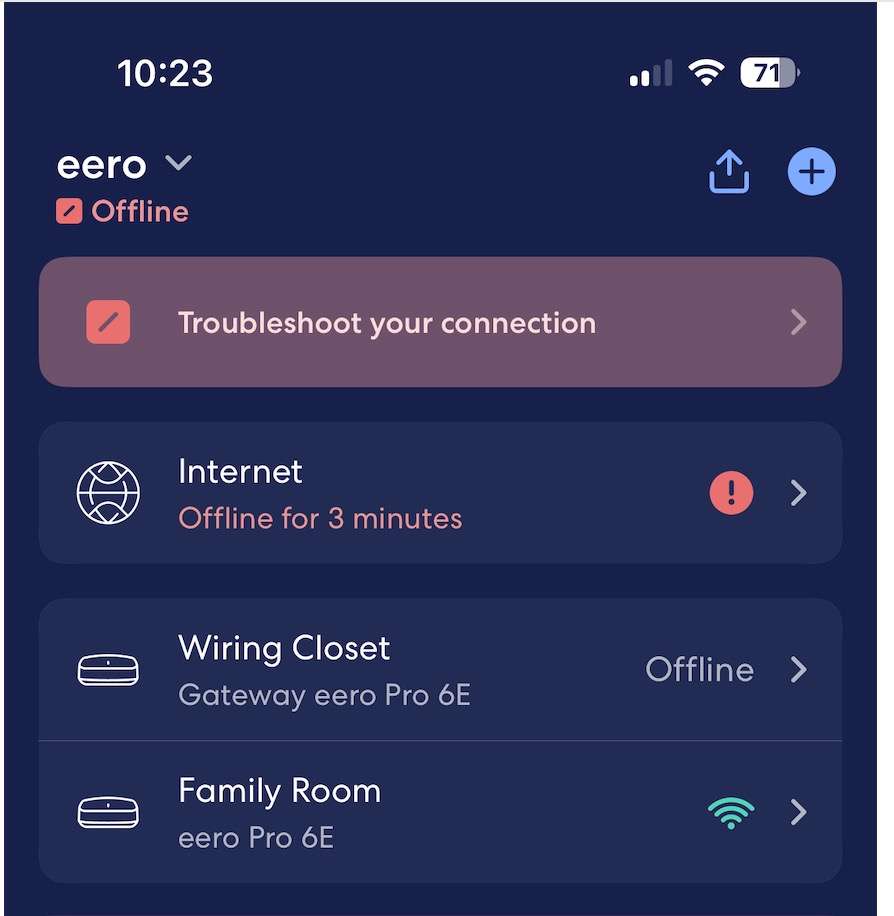 {#id}
{#id}
I checked the box (Optical Network Terminal) in the box and it showed green.
 {#id}
{#id}
After another minute or so, the connection resumed.
I don’t know how often this happens so I decided to monitor the internet connection from a server that’s running 24/7.
I found a simple script via Google that by default pinged Google’s own nameserver 8.8.8.8 every 5 seconds. The problem with it, for my purposes, is that I would have to remember to start it every time the machine restarted. So I asked ChatGPT to make me a version that would launch on reboot. One of the complicating things using scripts as a LaunchAgent is that MacOS is very protective of your home directory and it’s difficult to write there. ChatGPT suggests ~/Library/Logs as a safe place and it seems to be working great.
Here’s the script:
We also need to put a file in ~/Library/LaunchAgents. ChatGPT suggested com.user.pinglogger.plist as a name and I went with that. Start it by doing